This guide explains how to register on Vanguard, join an event, and submit your work.
The screenshots below show an example from Vanguard Music Championship — Season 1: Open Signal, but the same basic flow may apply to other Vanguard events.
---
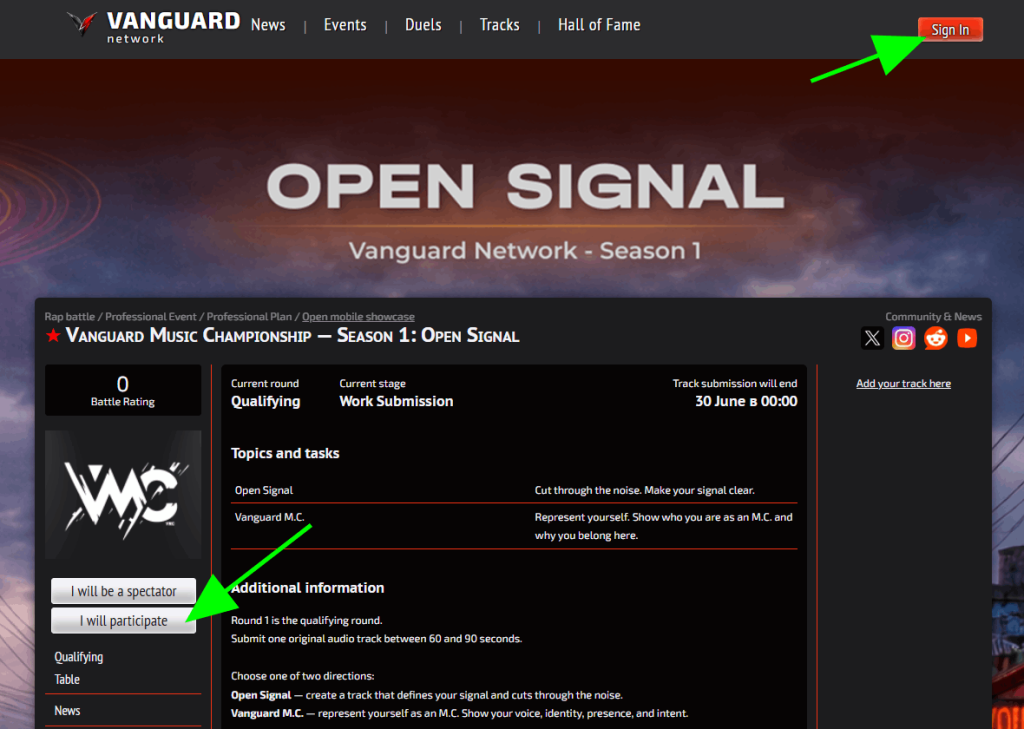
Go to the page of the event you want to join.
You can start in one of two ways:
- click Sign In in the top-right corner;
- or click I will participate on the event page.
---
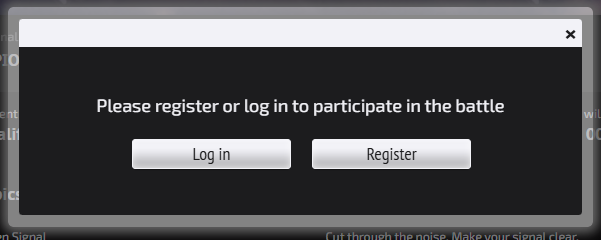
If you do not have an account yet, click Register.
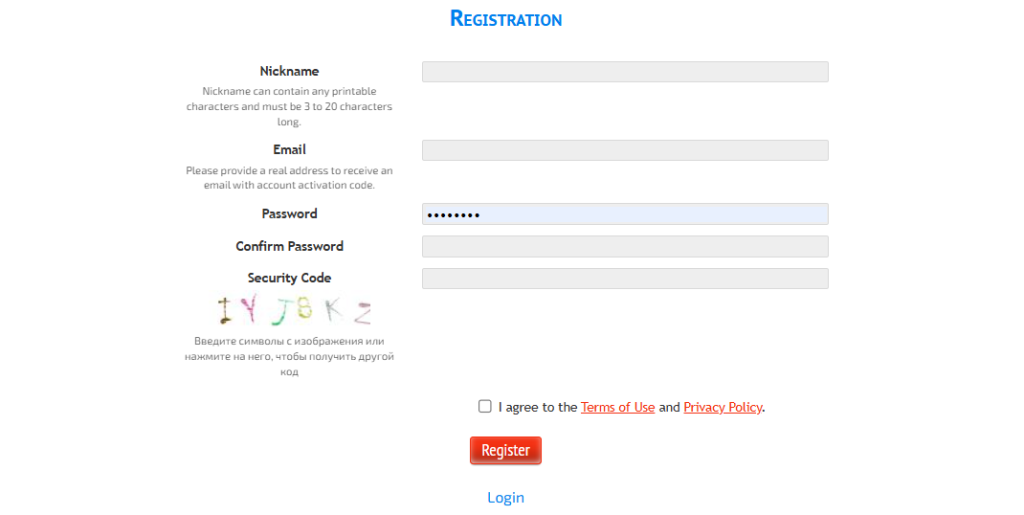
Fill in the registration form:
- nickname;
- email;
- password;
- security code.
You must also agree to the Vanguard Platform Terms of Use and Vanguard Privacy Policy.
Then click Register.
---
After registration, check your email inbox.
You should receive an account activation email from Vanguard Network.
Open the email and click the activation link.

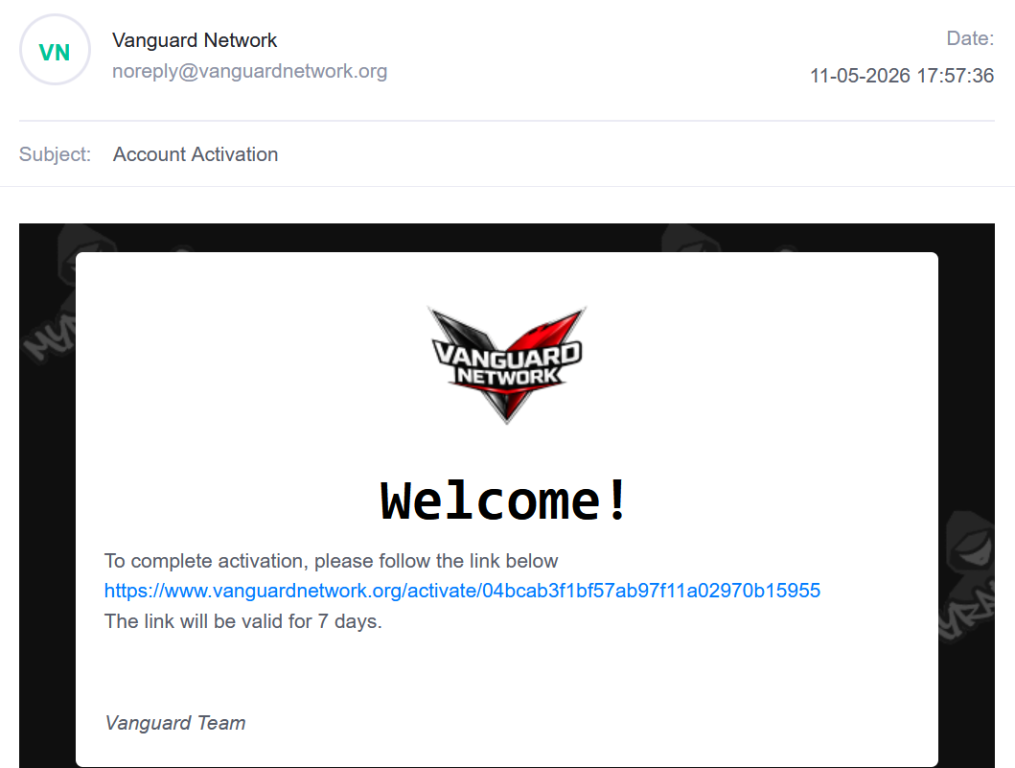
The activation link is valid for 7 days.
---
After activation, return to Vanguard and log in with your email and password.
You may also update your profile, avatar, nickname, and personal page before joining or submitting to an event.
---
Return to the event page.
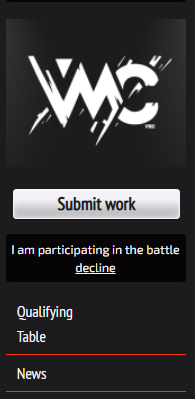
Click I will participate if you have not joined the event yet.
After joining, the event page may show a Submit work button if submissions are open.
---
Click Submit work.
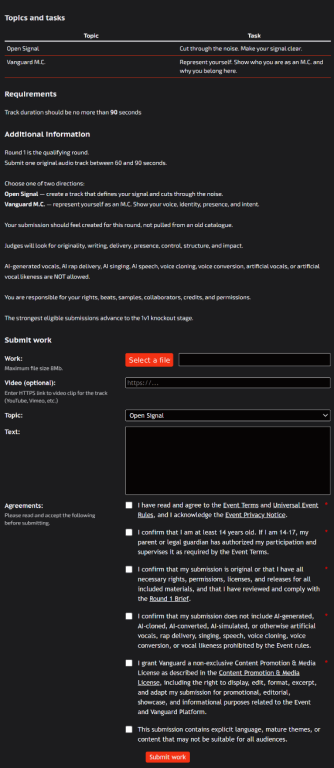
You will see the submission form for the current round, stage, or event task.
The form may look different depending on the event format.
---
Fill in the required fields.
Depending on the event, this may include:
- uploading an audio, video, image, file, or other required work;
- adding an optional link;
- choosing a topic, category, or assignment;
- adding text, lyrics, description, credits, or notes;
- confirming required agreements.
The file upload button may appear in your browser or system language. This is normal.
---
Before submitting, you may need to accept rules for the specific event or round.
These can include:
- event terms;
- event privacy notice;
- round brief;
- age and eligibility confirmation;
- originality and rights confirmation;
- AI/tool-use rules;
- content license;
- explicit content flag, if applicable.
Platform Terms and Privacy are accepted during account registration.
Event-specific terms and submission confirmations are accepted when you join or submit to a specific event.
Do not submit unless your work follows the rules of that event.
---
After completing the form and confirming the required agreements, click Submit work.
Wait for the upload and submission process to finish.
Do not close the page until the submission is complete.
---
Check the event page and your email for updates.
Depending on the event, you may receive:
- submission confirmation;
- deadline reminders;
- judging updates;
- result announcements;
- prize or verification requests;
- requests for clarification, rights information, or corrections.
---
Contact:
connect@vanguardnetwork.org
Include:
- your nickname or account email;
- the event name;
- the round or submission, if applicable;
- a short description of the issue;
- screenshots if possible.